
Please read the rules — WindR is a session tracking and performance comparison tool, not an official competition.
Le Spot du Pointeau, in Saint Brévin, is the reference spot for the "Speedés du 44". In 2017, we decided to create a small site to manage a local GPS challenge and compare our performances. The site "http://pointeau-speed-challenge.com/" was born!
I gradually transformed this site into a full session log and community performance comparison tool.
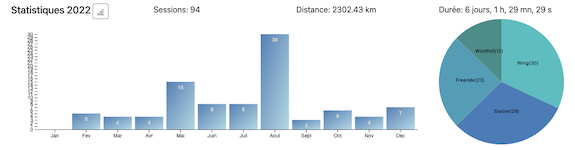
You can see my session log here.
Features added over time:
WindR lets you create an account automatically using your Facebook, Google or Twitter account. To sign up and log in, click the "Log In" button in the top right of the home page or in the navigation menu.
You can upload any GPS file type, but only GPX, FIT, SBN and OAO files are processed automatically.
Other formats are processed manually by the WindR team using GPSAR, and published using the method described in the tutorial.
Note: The team is currently working on automatic support for SBP files (Locosys GW60).
Once logged in, simply click the Upload your sessions button on the home page, or in the menu at the top left (under your name).
WindR uses several tools to analyze sessions depending on the file format.
You can also process sessions in GPSAR (GPS Action Replay) and post results to WindR from GPSAR. This tutorial shows you how.